

Simple Audio Manager
Volume keys for every output.
1. About This App
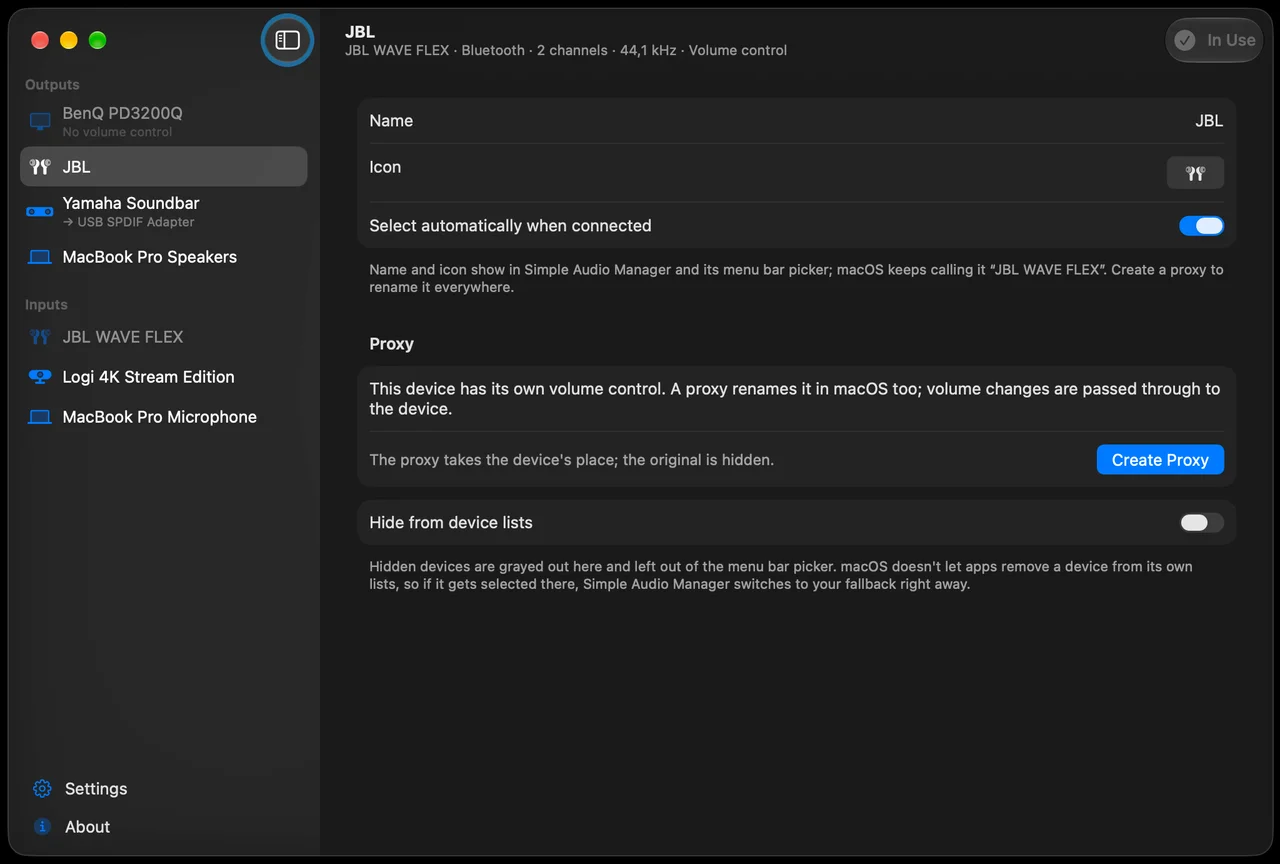
Some Mac audio outputs — an S/PDIF adapter, an HDMI or DisplayPort monitor, a soundbar — have no volume control, so the volume keys do nothing. Simple Audio Manager gives them a working, native volume control, and lets you rename, re-icon and hide audio devices so the sound menu shows only what you use.
Volume where there was none
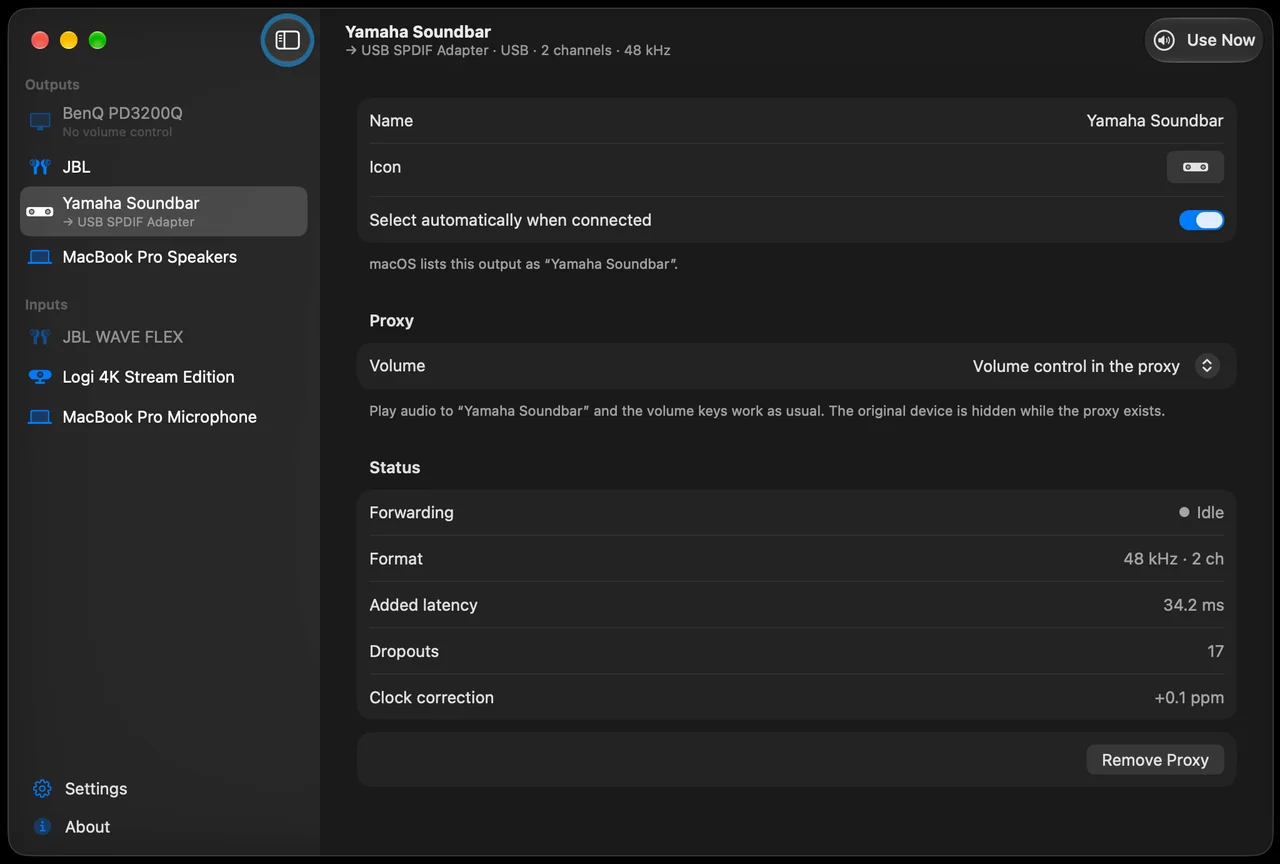
A small Core Audio driver publishes a proxy output device with a real volume and mute control, for outputs such as S/PDIF, HDMI and DisplayPort that have none.
Works with the volume keys
Apple's volume keys, the on-screen volume indicator and the Control Center slider work with the proxy unchanged.
No microphone access
The proxy forwards audio to the physical device inside Core Audio. There is no loopback input, so no microphone permission and no orange mic indicator — and audio keeps working when the app is not running.
Your names and icons
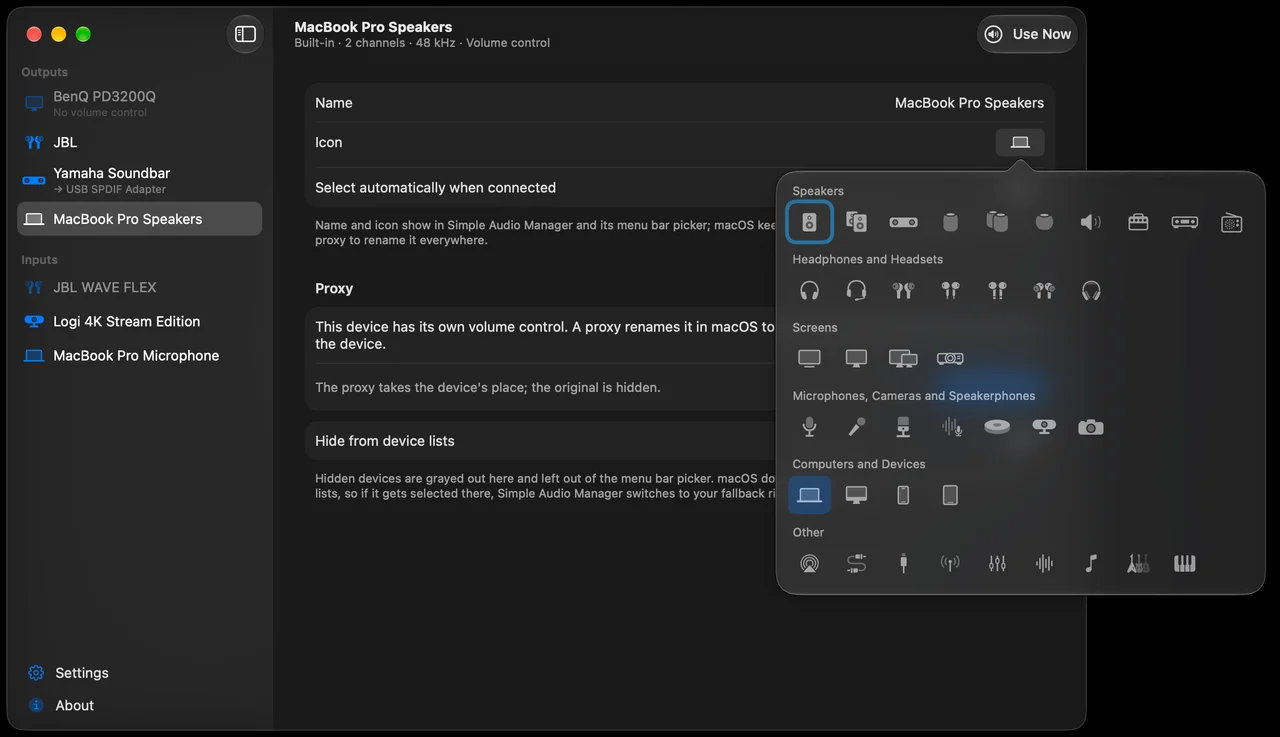
Rename proxies and give your devices icons of their own, from soundbars and headphones to screens, microphones and cameras.
Hide what you don't use
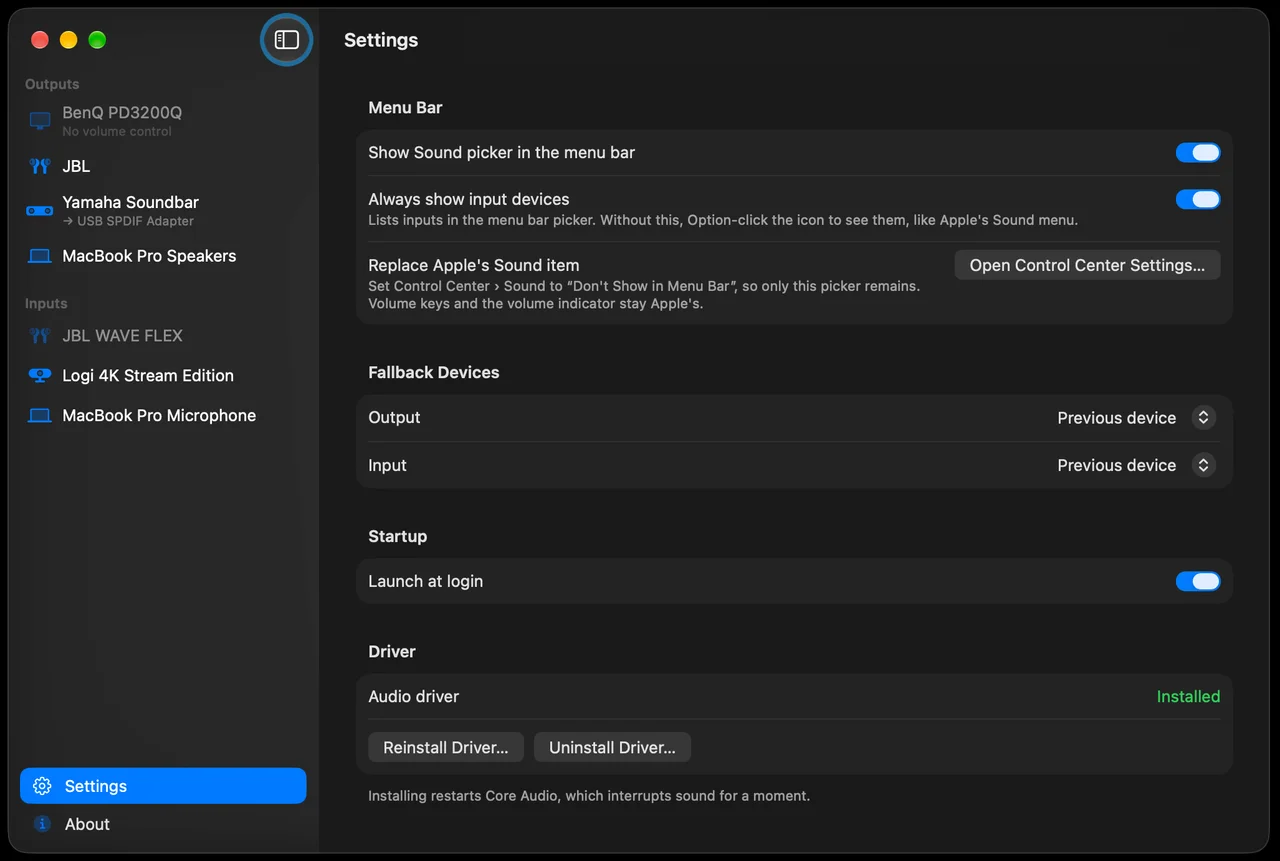
Hidden devices disappear from the menu bar picker. If one gets selected anyway, the app switches straight to its proxy or to your fallback device.
A Sound picker in the menu bar
An optional picker, styled like Control Center's Sound module, shows only the devices you want, with your names and icons.
Simple Audio Manager is free and open source. It needs macOS 15 or later and runs on Apple silicon and Intel Macs. To install it, download the latest release from GitHub, unzip it and run ./install.sh in Terminal: it copies the app to Applications, installs the audio driver and restarts Core Audio (sound drops for about a second). ./uninstall.sh removes everything again.
The proxy carries LPCM audio only — players that pass AC3 or DTS through should output to the physical device directly — and below 100% volume the output is not bit-perfect.
Get it on GitHub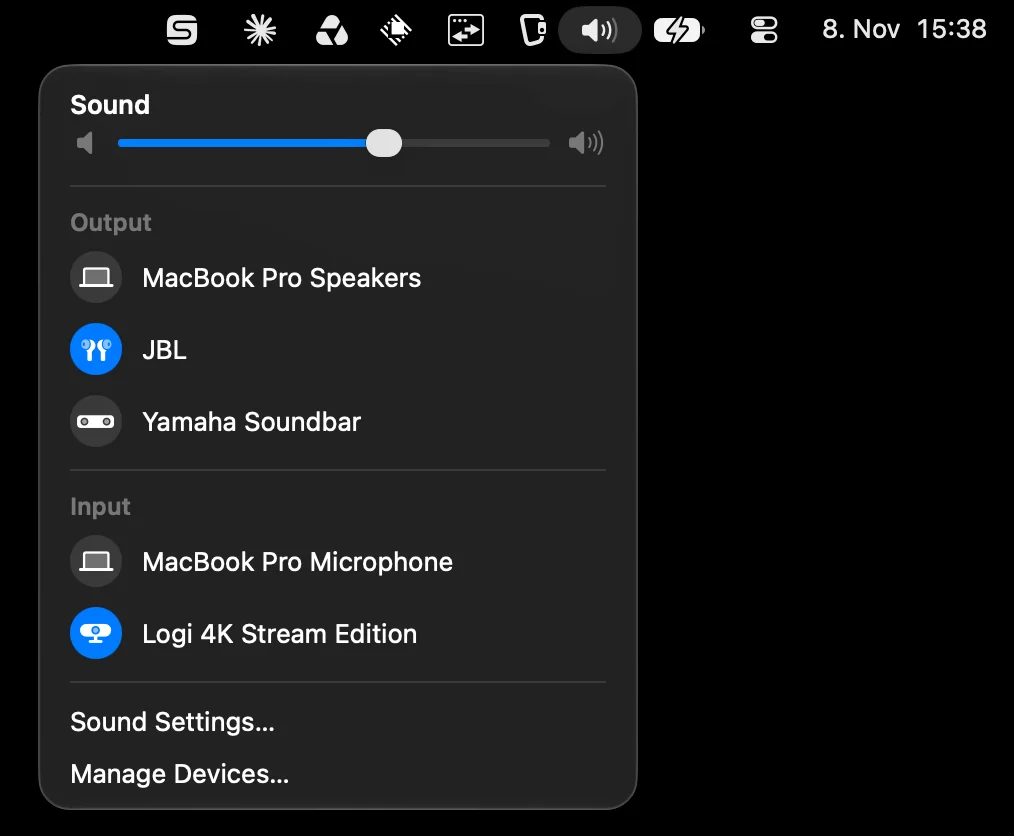
2. Privacy
Last Updated: November 9, 2026
In short: Simple Audio Manager does not collect, transmit, sell or share any personal data. It works entirely on your Mac.
2.1 What the App Does With Your Audio
The audio driver passes the sound of a proxy device on to the physical output, adjusting only its volume. The audio is not recorded, stored, analyzed or sent anywhere. The app has no microphone access.
2.2 What the App Stores
Your settings, the proxies you create and the icons you choose are stored on your Mac, in the app's Application Support folder. ./uninstall.sh --purge deletes them along with the app and the driver.
2.3 What the App Does Not Do
- It makes no network requests. There are no servers, accounts, analytics, tracking, advertising or update checks.
- It does not sell, share or transfer data to anyone.
2.4 Changes to This Section
Changes are published here with a new date. Where we do process personal data (for example, if you email us), our general Privacy Policy applies.
3. License
Simple Audio Manager is free and open source under the MIT License. You may use, copy, modify and distribute it under that license's terms. It is provided "as is", without warranty of any kind.
It builds on open-source components such as libASPL; they and their licenses are listed in the third-party notices and on the app's About page.
Contact Us
For questions, bugs and ideas, open an issue on GitHub, or contact us:
Summary
Simple Audio Manager gives Mac outputs without volume control a working volume, and lets you rename, re-icon and hide audio devices. It works entirely on your Mac: no network requests, no microphone access, nothing collected. It is free and open source under the MIT License.