

Tab Grouplet
Your tabs, grouped automatically.
1. About This Extension
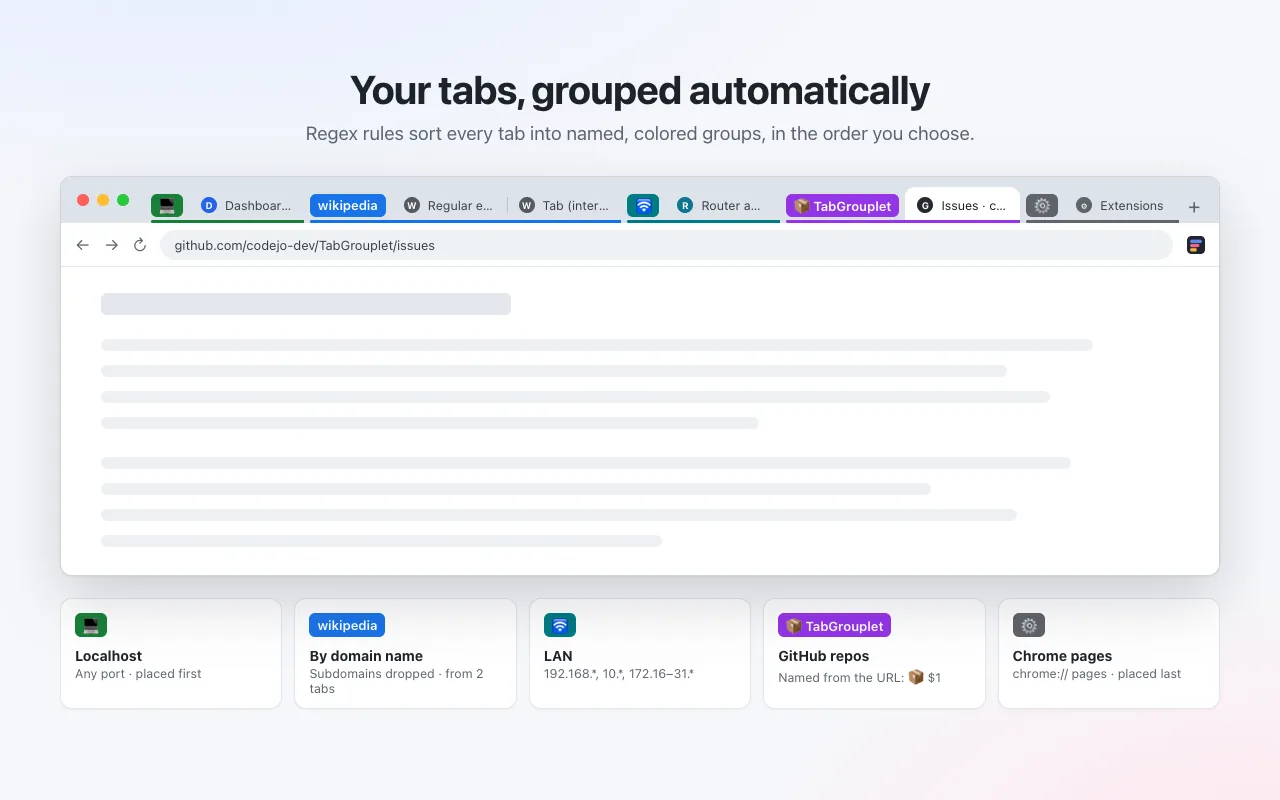
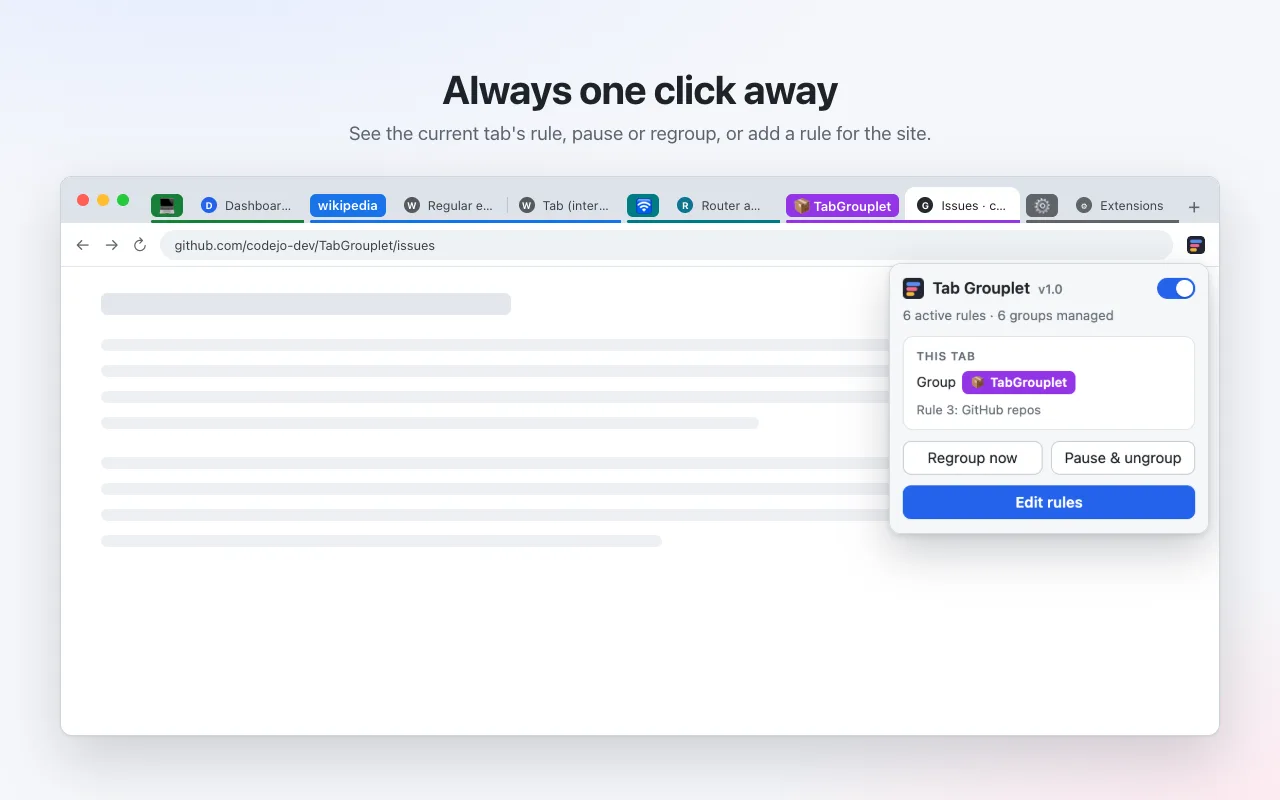
Too many tabs? Tab Grouplet is a Chrome extension that keeps them organized for you. It puts every tab into the right Chrome tab group as you browse, based on a few rules you set up once. Each rule looks at a tab's web address; when a tab matches, it moves into a group with the name, emoji, color and place in the tab bar you chose. When the matching tabs are closed, the group goes away again.
No sorting by hand
Groups build themselves while you work — one per project, website or topic, with clear names and colors.
A tab bar that stays in order
Choose where groups appear, for example Chrome's settings pages and new tabs always on the right.
Less clutter
Group only once two or more matching tabs are open, so single tabs stay as they are.
Templates to start with
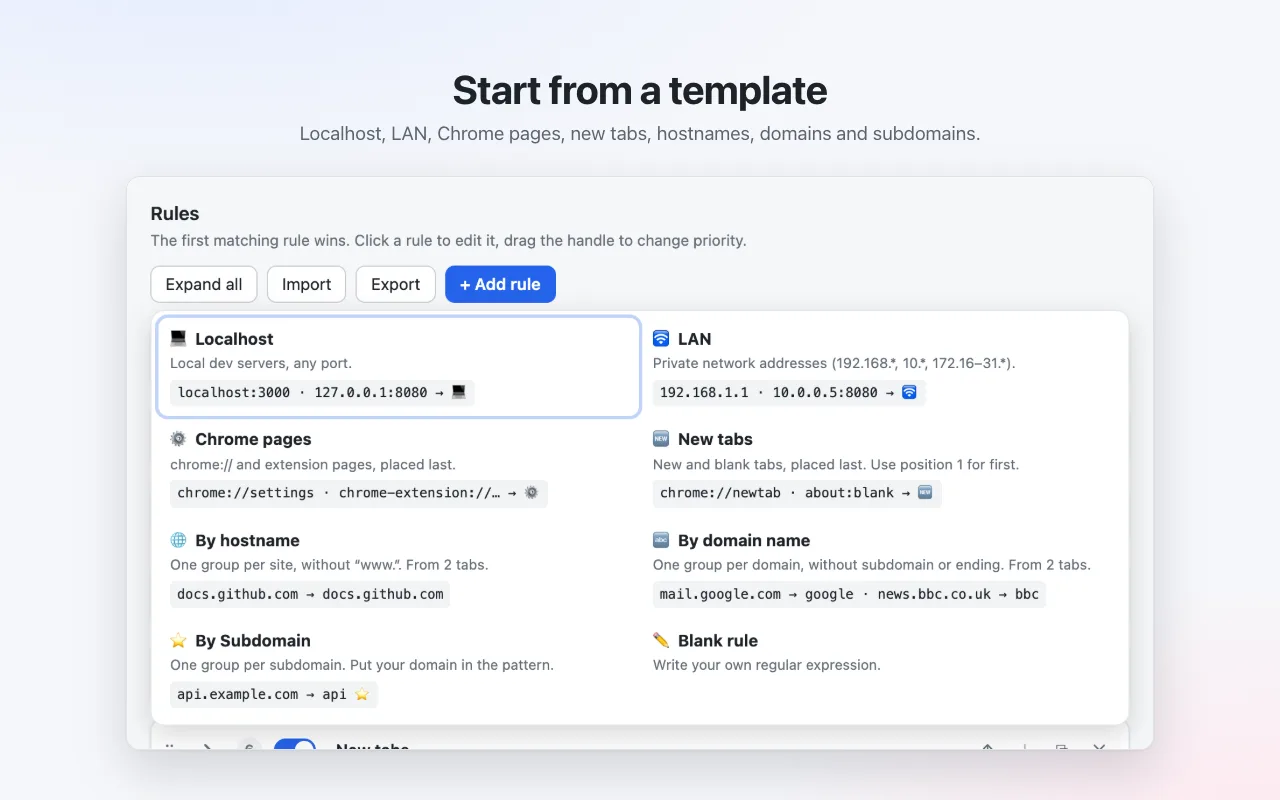
Ready-made rules for local development servers, devices on your home network, Chrome's own pages, new tabs, and one group per website, domain or subdomain.
For power users
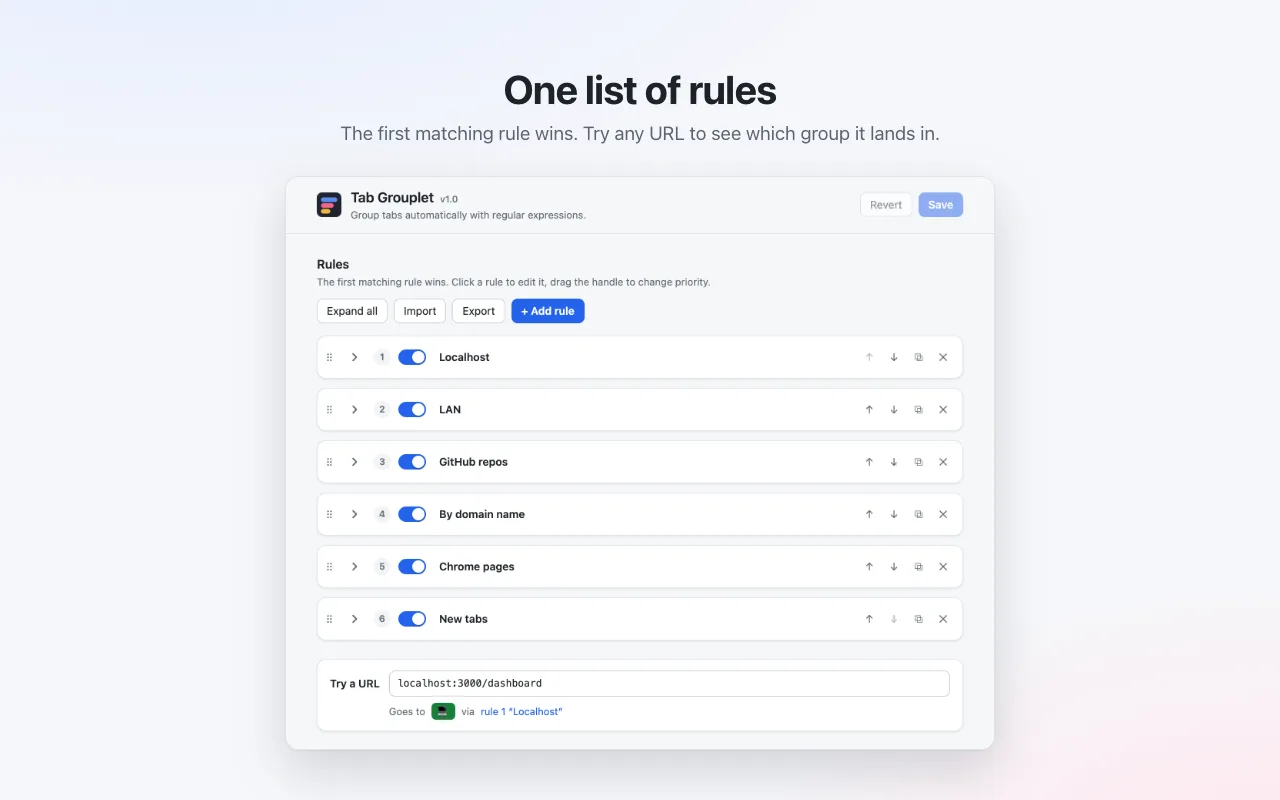
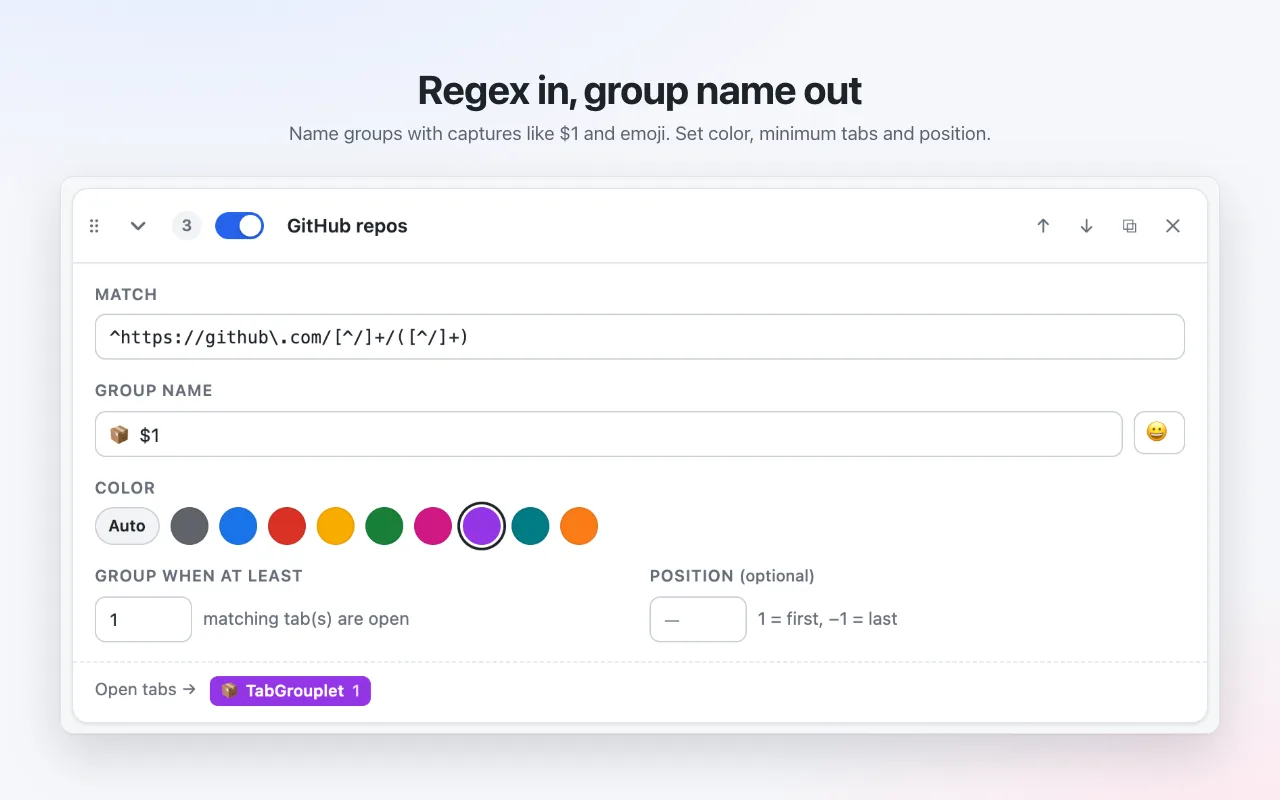
Rules use regular expressions, ports included. Turn parts of the address into the group name with $1 or named captures, preview the groups your open tabs would form before you save, test any address, and import or export your rules.
You stay in control
Groups you create yourself are never touched, pinned tabs are never grouped, and one click pauses everything.
Tab Grouplet is free and open source. It needs Chrome 102 or later. Until it is in the Chrome Web Store, install it from GitHub: download the repository, open chrome://extensions, switch on Developer mode, click Load unpacked and select the folder.
2. Privacy
Last Updated: October 3, 2026
In short: Tab Grouplet does not collect, transmit, sell or share any personal data. Everything it works with stays in your browser on your device.
2.1 What the Extension Reads
To group your tabs, the extension reads the following inside your browser:
- Tab URLs, to check them against your rules.
- Tab titles, only to show example tabs in the rule preview on the extension's settings page.
- Tab state needed for grouping: which window a tab is in, its position, whether it is pinned, and which group it belongs to.
- Tab group names and colors, to manage the groups the extension created and to pick colors not already in use.
This information is processed in memory when your tabs change. It is not logged, not stored, and never leaves your browser.
2.2 What the Extension Stores
- Your rules and the on/off setting, in Chrome's local extension storage (
chrome.storage.local) on your device. They are not synced to your Google account. - The IDs of the tab groups the extension created, in Chrome's session storage (
chrome.storage.session). This is cleared when you close the browser.
Uninstalling the extension deletes all of this data.
2.3 What the Extension Does Not Do
- It makes no network requests. There are no servers, analytics, tracking, advertising, cookies or third-party services.
- It does not load or run remote code.
- It does not sell, share or transfer data to anyone, and does not use data for purposes unrelated to grouping your tabs.
The use of information received from Chrome APIs adheres to the Chrome Web Store User Data Policy, including the Limited Use requirements.
2.4 Import and Export
Export creates a JSON file with your rules only when you click it, and saves it where you choose. Import reads only a file you select yourself. These files contain your rules and nothing else.
2.5 Permissions
tabs— read tab URLs and titles to match them against your rules.tabGroups— create, name, color and move tab groups.storage— save your rules on your device.
2.6 Changes to This Section
Changes are published here and in the repository's privacy policy with a new date; its full history is available on GitHub. Where we do process personal data (for example, if you email us), our general Privacy Policy applies.
3. License
Tab Grouplet is free and open source under the MIT License. You may use, copy, modify and distribute it under that license's terms. It is provided "as is", without warranty of any kind.
Contact Us
For questions, bugs and ideas, open an issue on GitHub, or contact us:
Summary
Tab Grouplet groups your Chrome tabs by rules you write. It works entirely inside your browser: it makes no network requests, stores your rules only on your device, and collects, tracks and shares nothing. It is free and open source under the MIT License.